Planful Spotlight for Microsoft 365

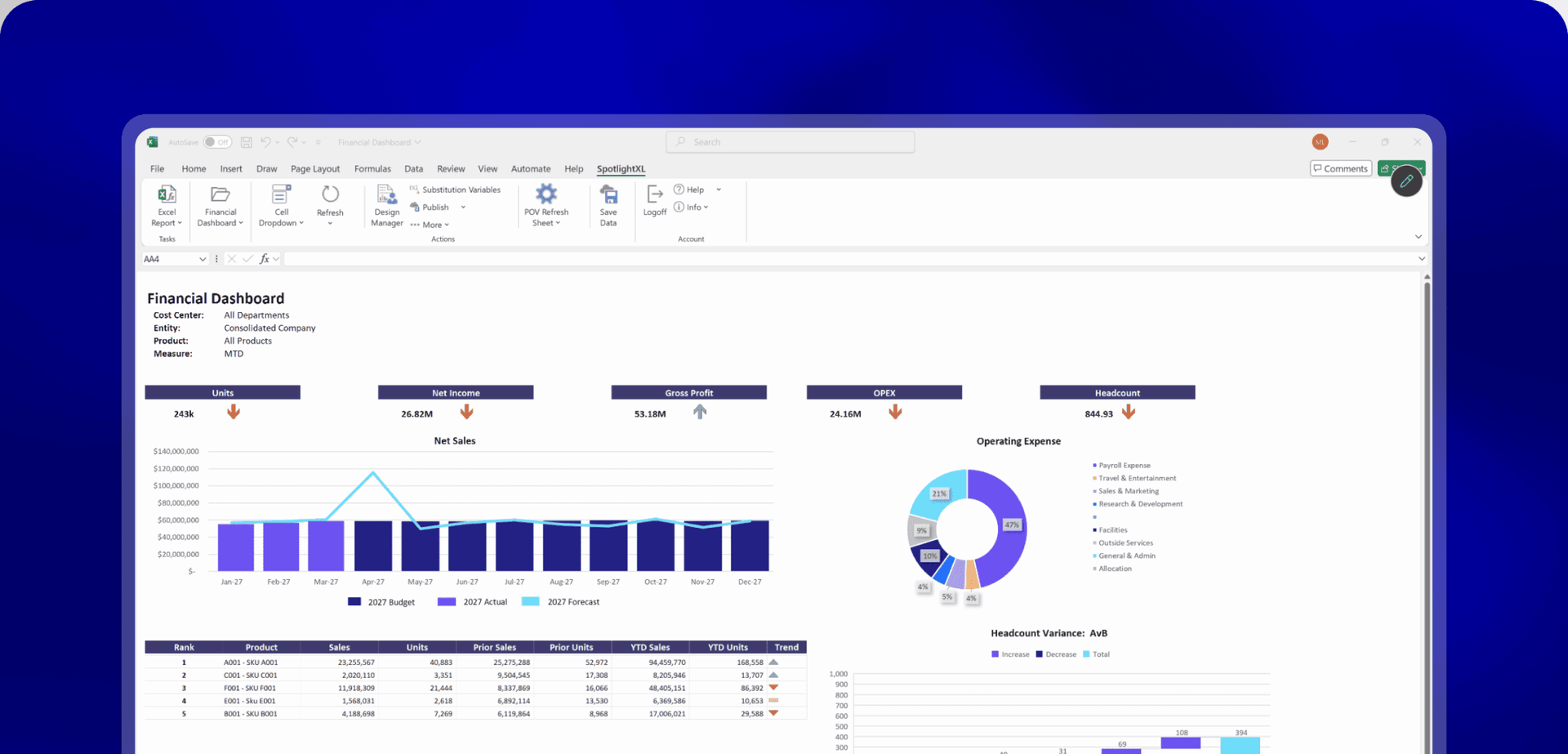
Finance teams spend hours rebuilding the same reports every period. Data gets exported from Planful, pasted into Excel or PowerPoint, reformatted, and sent out. Spotlight connects Microsoft 365 to your data in Planful. Refresh any spreadsheet, presentation, or document with a single click. Your data automatically updates, your formatting holds, and the manual cycle ends.

What you can do with Spotlight for Microsoft 365

Single-click refresh across Excel, Word, and PowerPoint

Single-click refresh across Excel, Word, and PowerPoint

Connect your M365 files to Planful once. When numbers update in Planful, refresh all connected documents with one click. No re-export, no re-paste, no reformatting.

Multi-dimensional analysis inside Excel

Multi-dimensional analysis inside Excel

Drill in, zoom out, and pivot across business categories and segments directly in Excel. Explore data at any level without leaving the spreadsheet or running a separate report in Planful.

Report templates built once, refreshed every period

Report templates built once, refreshed every period

Configure your financial and management reporting templates in M365 once. They pull from Planful's governed data each period, so the deck goes out without a manual rebuild.

Every number traced back to a single governed source

Every number traced back to a single governed source

Every figure in your M365 files connects to Planful's data. No version conflicts, no copy-paste errors, no question about which number is current.

Why teams love it

Board decks that refresh instead of rebuild

Every period, finance rebuilds the board presentation from scratch and pulling updated numbers, replacing charts, reformatting slides. Spotlight connects PowerPoint directly to Planful, so the numbers refresh with one click and the formatting stays intact. The deck is ready in minutes, not hours.

Excel analysis that starts from live data

Ad hoc analysis in Excel typically starts from last week’s export. By the time the model is built, the underlying data is already out of date. Spotlight connects Excel to Planful’s current data, so analysis starts from a live, governed source every time.

Management reporting packages out the same day

Monthly reporting packages require pulling actuals, updating commentary, and refreshing visuals across Word and PowerPoint. Spotlight refreshes all connected M365 files from Planful in one step, so packages go out the same day the numbers are final.

Author thumb
Author thumb
Author thumb

Get started with Spotlight for Microsoft 365

See how Planful helps you plan, present, and report with a sense of familiarity.

Related resources