Accelerate financial decisions with Microsoft Power BI + Planful

Say goodbye to manual exports and imports! Easily and securely combine your financial data in Microsoft Power BI for fast, automated, and accurate reporting, without coding.

Image
Used by the world's most innovative companies


Connect Planful data with Microsoft Power BI
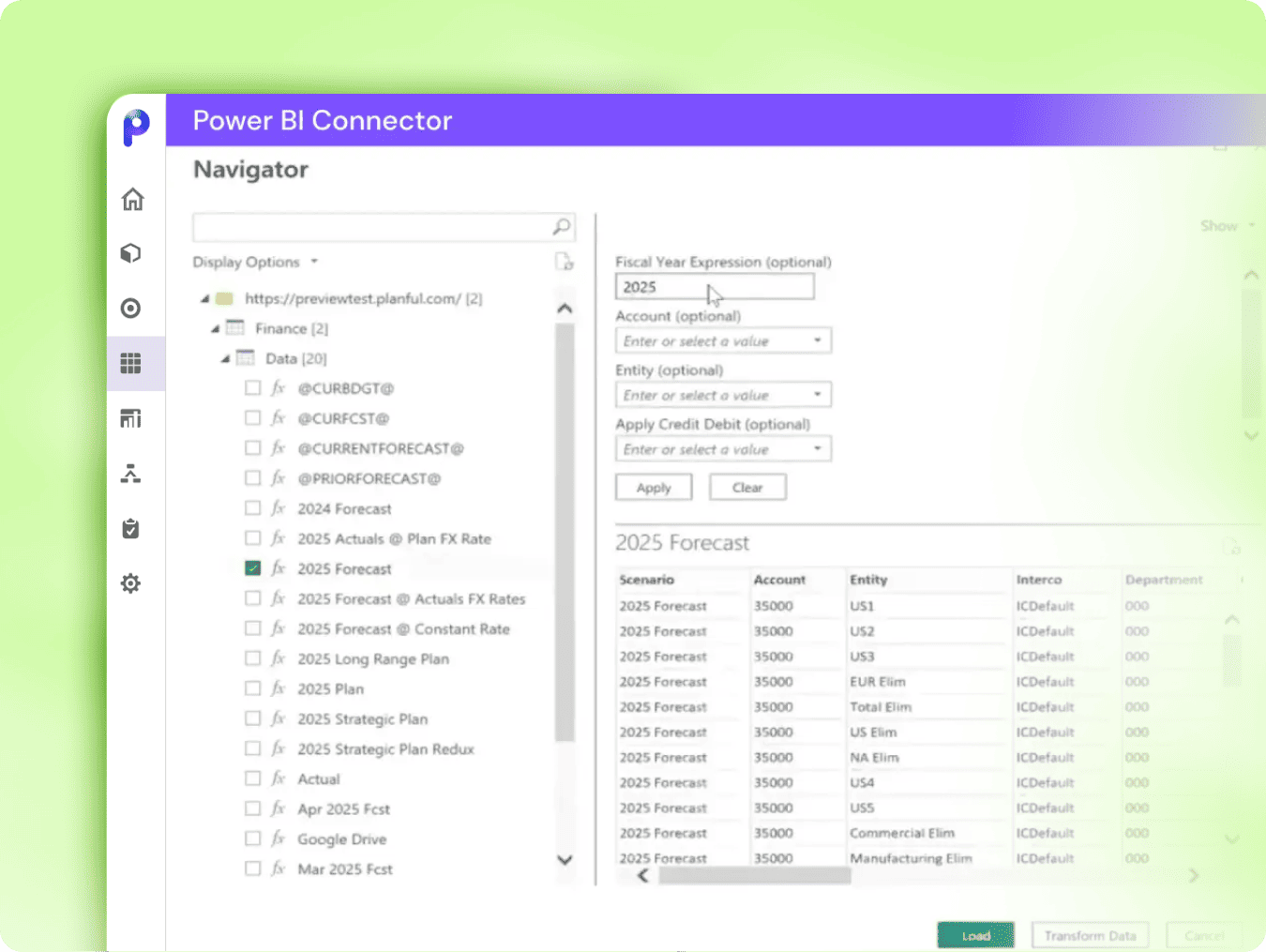
Integrate your Planful data into Microsoft Power BI, and gain access to your latest planning data across all your Planful models. Easily bring together data from multiple sources to create a comprehensive view of your business performance. Build insightful, detailed reports and views that enable finance leaders and key stakeholders to make confident, informed decisions.

Author thumb

Drive insights through powerful visualizations
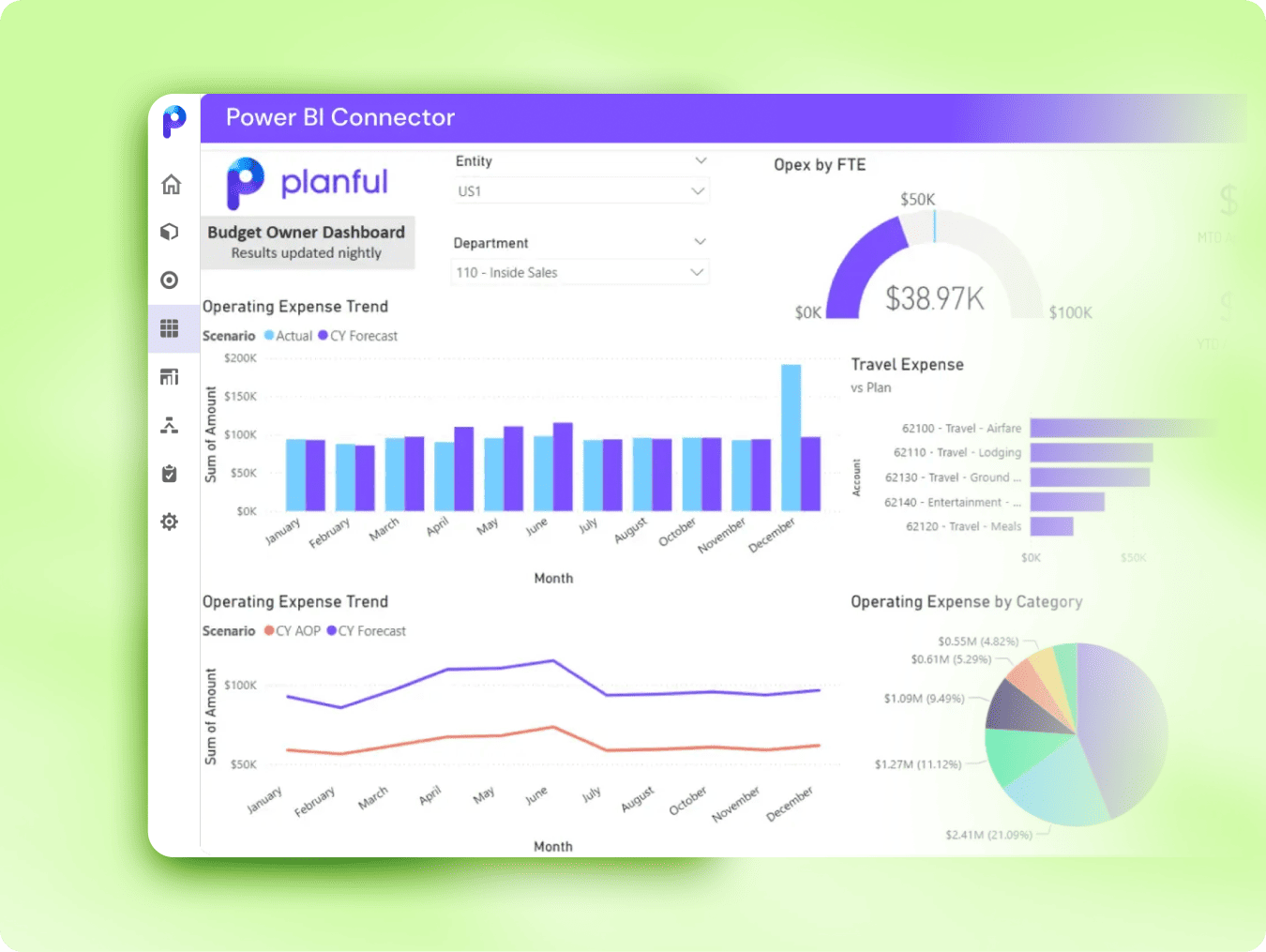
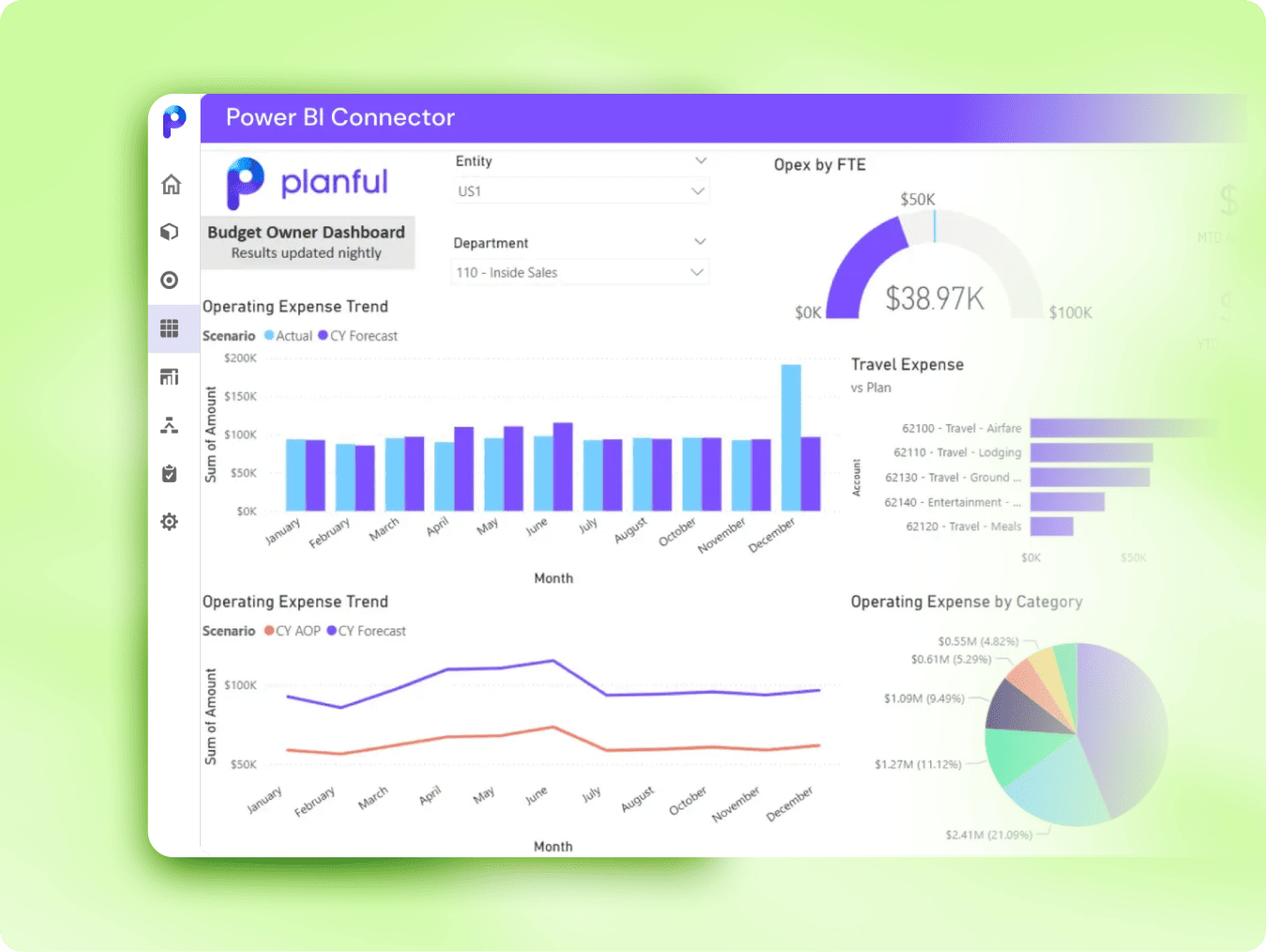
Leverage PowerBI’s extensive toolkit to build dynamic, visually engaging dashboards tailored to your organization’s specific needs. Customize metrics, charts, and layouts to effectively track key performance indicators (KPIs), uncover trends, and craft compelling narratives that bring your data to life. Easily share actionable insights across your departments.

Author thumb

Quick setup with robust security

Get started with the Planful Power BI Connector for a quick and straightforward setup. Transfer your data efficiently and keep your reports current with automated, customizable refreshes. Ensure data security directly within Microsoft Power BI, giving you confidence when handling sensitive financial data.

Author thumb

Frequently asked questions

The connector pulls financial and operational data from Planful into Power BI, allowing users to build reports, dashboards, and visualizations. It extracts both metadata (e.g. account hierarchies) and data (e.g. actuals, budgets, forecasts) from Planful.

Try the Planful Power BI connector today

Push financial insights into Microsoft Power BI and drive better decisions across the business.