 Back to Blogs
Planful’s MCP Server: Bring Governed Finance Data Into Your AI Tools
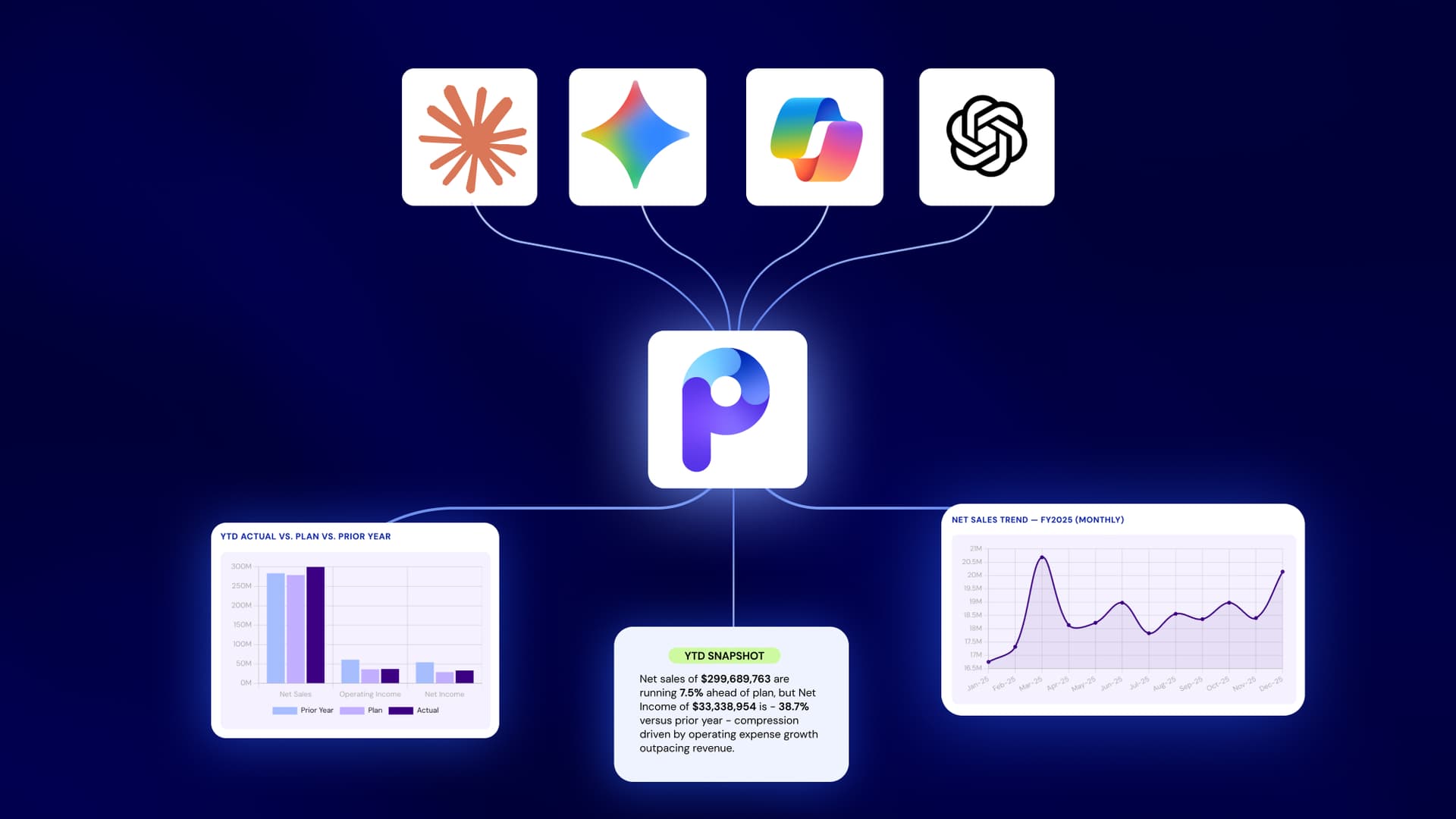

Table of Contents

Planful’s new MCP Server for finance brings your governed finance data into Claude, with support for ChatGPT, Gemini, and Copilot on the way.
Ask a question in plain language, and the answer comes back built on your real Planful data. Your security and access controls are enforced before anything leaves Planful. No exports, no rebuilt spreadsheets, no leaving the tool you’re already in.
Learn more: Planful MCP Server lets you connect Planful to your AI tools
Key takeaways
- Planful’s MCP Server is a direct connection between AI tools like Claude and your Planful environment. Your team asks a question, the AI pulls the relevant Planful data in real time, and the analysis comes back grounded in your actual business structure.
- Getting Planful data into your AI tool takes no manual work. You don’t export, copy, or re-upload anything. You simply ask.
- The biggest payoff is combining Planful data with outside sources. You can compare a Planful budget against actuals from another system in a single question, instead of exporting both and reconciling them by hand.
- The protocol is an open standard. The Planful difference is the approach: dimension security, scenario security, and role-based access apply before any data reaches the AI client.
- MCP is the first step in Connected AI, Planful’s move to extend Planful AI for Finance into the workflow tools your team uses every day.
- MCP is one capability inside the broader Planful AI ecosystem, alongside Analyst Assistant and Planner Assistant.
What is an MCP?
MCP stands for Model Context Protocol. It’s an open standard that lets AI tools like Claude discover and reach into other systems securely. Instead of building a one-off integration for every tool, a system exposes an MCP Server that any MCP-compatible AI tool can use. It’s the technology that lets AI reach straight into your data in real time, with nothing to export, copy, or re-upload. You simply ask.
You may have already used one. In an AI tool like Claude, you can connect to a Gmail MCP Server and ask, “Summarize the emails from my CFO this week.” Claude calls the server, pulls only what you’re authorized to see, and reasons over it.
Planful’s MCP Server works the same way. Claude calls the server, pulls the Planful report you have access to, and reasons over the results. Planful stays the system of record, and every query respects your existing Planful permissions. Today, that’s Claude, with support for more AI tools on the way.
Why it matters for finance leaders
Finance has requirements that developer tooling was never built for. Every query needs to respect who’s asking and what they’re allowed to see, enforced before any number reaches the AI tool. That governance is the hard part to build, and the part finance can’t do without
For a finance leader, the result is more analysis capacity without more headcount. Your team gets a finance answer in seconds instead of waiting for a meeting, straight from the tool already open in front of them.
If your team already has skills, prompts, or workflows built in their AI tool, MCP lets them point those at governed Planful data instead of starting from scratch. The same setup that already works for other tasks now reasons over your real financial structure too, so the output is sharper, not just faster.
MCP is the first step in Connected AI, Planful’s approach to extending Planful AI for Finance into the tools your team already uses.
Today, it works with your Planful reports, actuals, and variance data, with Spotlight data, workforce data, and more on the way. It sits alongside Analyst Assistant and Planner Assistant rather than replacing either. The throughline is context. Your data, your structure, and your business requirements are already in place, so the AI is working from the same foundation your finance team already trusts.
How does Planful's MCP Server work?
Working with Planful’s MCP server feels like asking a colleague a question. You type it the way you’d say it out loud, and the answer comes back built on your own Planful data, not a generic AI guess. Behind the scenes, your AI tool connects to Planful, pulls only the data you’re authorized to see, and runs the analysis. No exports, no switching over to Planful to run the report yourself. Here’s what that looks like in practice.
Say, for example, you need to understand Q1 performance, fast. You open Claude and type exactly that. Claude searches your connected Planful reports, pulls the relevant data, and runs the analysis against your Planful chart of accounts and business dimensions.
What comes back is a full analysis:
- Headline KPIs like gross profit, net sales, and cost of sales, sitting next to the plan
- Charts breaking down actuals and variance by product, so you see where you beat plan and where you missed
- A monthly trend across the quarter
- A prioritized list of risks with enough detail to act on
You didn’t build a pivot table or a separate dashboard with manual formatting. You asked a question and got the analysis.
Behind that simplicity, your governance and security model stays intact. The connection is read-only, and every query inherits your existing Planful permissions. The AI only sees what that person is already cleared to see. Planful remains the system of record.
3 Things you can do with Planful's MCP Server
1. Ask Planful questions from inside the AI tools you already use
Your organization already has a company-wide AI tool that your team relies on. Now they can ask where the quarter is tracking, or what’s driving a variance, and get a full, live answer right there, grounded in your own Planful data.
The analysis shows up right where the work already happens, so your team skips the export and the spreadsheet rebuild entirely. That’s what makes people actually use it.
If your team has already built prompts or workflows in their AI tool, those work here too. Point an existing one at your Planful data instead of starting from scratch, or save a new one so the same analysis runs again next quarter.
2. Answer questions that cross Planful and your other systems
This is the real unlock, because most finance questions don’t stay inside one system. You want a Planful budget against actuals from another system, and getting there has usually meant exporting both, lining them up in a spreadsheet, and hoping the cuts match.
The MCP Server turns that into a single conversation. You ask the cross-source question once, and the AI works across your Planful data and the outside source, so the comparison is your starting point instead of an afternoon of reconciliation.
3. Keep your security model intact on every query
Adoption only works if finance can trust what’s leaving the building. With the MCP Server, there’s nothing new to manage. Every MCP request inherits your existing Planful permissions, dimension security, and scenario security, so the AI only ever sees what that user is already cleared to see inside Planful.
The connection is read-only, and governance is enforced before any data leaves Planful. That matters because this is financial data. A stray edit or a bad assumption doesn’t stay contained. It moves downstream into a forecast, a budget, or a number that lands in a board deck.
Read-only is where MCP starts, and that’s by design. The AI can analyze and explore your Planful data, but it can’t write back, adjust a plan, or touch a number your team is accountable for.
That’s also where this is heading. As AI moves from answering questions to taking action, the bar for a write has to be higher than the bar for a read. That’s why Planful is building it in this sequence: prove the read path is fully governed first, then extend what AI is trusted to touch. There’s no second permission set to maintain and no new path for data to escape.
What will you build with Planful’s MCP Server?
See it in action. Get a demo of Planful today.
FAQs
What is the Planful MCP Server?
It’s a native MCP Server that gives AI platforms like Claude or ChatGPT a direct, secure connection to your Planful environment. Your team asks a question, the AI pulls the relevant Planful data in real time, and the analysis comes back tied to your own chart of accounts and reporting structure.
Do I have to export or upload my data to use it?
No. Planful’s MCP Server reaches into your Planful data directly. There’s nothing to export, copy, or re-upload. You ask the question and get the analysis.
Does my data leave Planful when I use it?
Yes, but only the data you’re already authorized to see, and only into your own AI workspace. Dimension and scenario security are enforced before anything is delivered, so nothing reaches the AI tool that the user couldn’t already see inside Planful. The connection is read-only: nothing is written back, and Planful remains the system of record.
Does MCP replace Analyst Assistant or Planner Assistant?
No. Planful’s MCP Server is one capability in the broader Planful AI ecosystem. Analyst Assistant and Planner Assistant remain the right tools for work that lives entirely inside Planful.
What data can I work with today?
Today, Planful’s MCP Server works to analyze your Planful reports, actuals, and variance data. Spotlight data, workforce data, and more are on the way.


 Shore Capital exclusive event - Nov 16 @ 12:30 PM CT: Elevating PE Reporting

